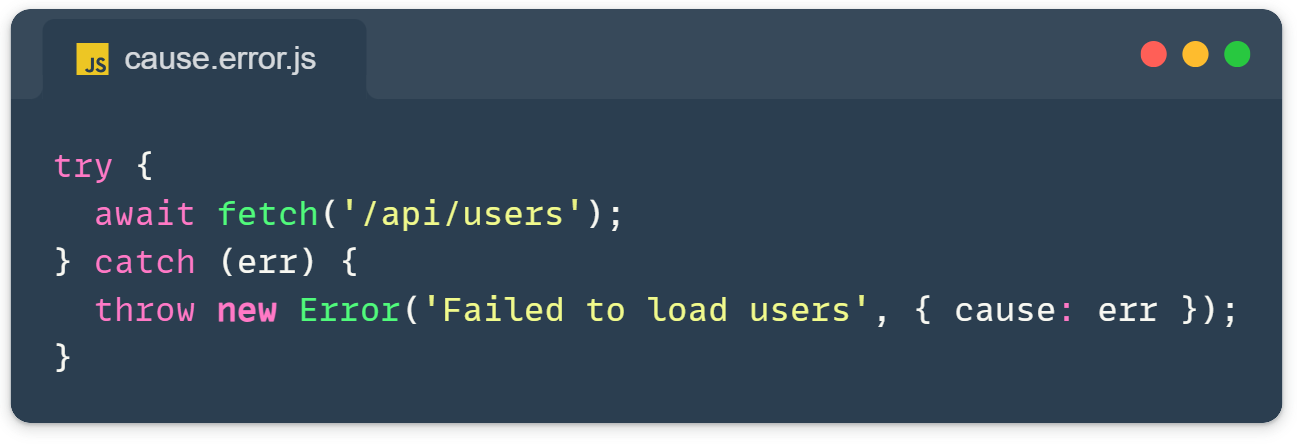
Error.cause lets you wrap errors without losing the original stack trace or error type. When errors bubble through multiple layers of your app, this property keeps the full context intact, making production debugging actually possible.
Traditional error wrapping is destructive. When you catch an error and throw a new one, you’re essentially erasing the original problem. The stack trace points to your wrapper code, not the actual failure. The error type becomes generic. All the valuable debugging context disappears into the void.
This makes debugging production issues incredibly frustrating. You see “Failed to load users” in your logs, but you have no idea if it was a network timeout, a 404, a parsing error, or something else entirely. The original error that would tell you exactly what went wrong is gone.
The Traditional Approach Loses Error Context
Here’s the old way of wrapping errors. It looks reasonable, but destroys critical information:
try {
  await fetch('/api/users');
} catch (err) {
  throw new Error('Failed to load users: ' + err.message);
}This gives you a nice descriptive message, but you’ve lost the original stack trace that shows where the fetch actually failed. You’ve lost the error type. Was it a TypeError, NetworkError, or something else? You’ve lost any custom properties the original error might have had. All you’re left with is a string.
Error.cause Preserves Everything
The cause parameter was introduced in ES2022 to solve this exact problem. Instead of destroying the original error, you attach it to your new error:
try {
  await fetch('/api/users');
} catch (err) {
  throw new Error('Failed to load users', { cause: err });
}Now, when you catch this error, you have access to both the high-level context (“Failed to load users”) and the low-level details (the original fetch error with its complete stack trace and type). Nothing is lost.
When handling errors, you can now inspect both layers:
catch (err) {
  console.error(err.message);     // "Failed to load users"
  console.error(err.cause);       // Original error with full details
}The cause property isn’t just a convenience, it’s properly integrated into the Error object. It’s non-enumerable (like message and stack), so it won’t pollute your logs or interfere with JSON serialization unless you explicitly access it.
Error.cause Chaining Through Multiple Layers
Real applications have multiple abstraction layers, database calls wrapped by data access functions wrapped by business logic wrapped by API handlers. Errors need to travel through all these layers while accumulating context at each level.
Without Error.cause, each layer either loses information or awkwardly concatenates messages. With Error.cause, each layer adds its context while preserving everything below:
async function queryDB() {
  throw new Error('Connection timeout');
}

async function getUser(id) {
  try {
    return await queryDB();
  } catch (err) {
    throw new Error(`Failed to get user ${id}`, { cause: err });
  }
}Now when getUser(123) fails, you get both “Failed to get user 123” (the context of what you were trying to do) and “Connection timeout” (what actually went wrong). The stack traces for both errors are preserved, so you can see exactly where each piece failed.
To traverse the complete error chain, you can walk through the causes:
let current = err;
while (current) {
  console.error(current.message);
  current = current.cause;
}This reveals the full story: what you were trying to do at each layer and what ultimately failed at the bottom.
Using Error.cause with Custom Error Classes
If you’re using custom error classes (and you should be for better error handling), Error.cause integrates perfectly. Just pass the options object through to super():
class ApiError extends Error {
  constructor(message, options) {
    super(message, options);
    this.name = 'ApiError';
  }
}

throw new ApiError('Request failed', { cause: originalError });The super() call handles the cause parameter automatically, JavaScript takes care of attaching it properly. You don’t need any special code or manual property assignment.
Testing Becomes More Precise
When writing tests, Error.cause lets you assert on the complete error context, not just the message. Instead of checking if an error message contains certain text (fragile and imprecise), you can verify the exact error types and causes:
expect(err).toBeInstanceOf(ApiError);
expect(err.cause).toBeInstanceOf(NetworkError);This makes your tests more robust and meaningful. You’re testing what actually went wrong, not just what the error message says.
When to Use Error Chaining
Use Error.cause whenever you’re catching an error and throwing a new one with additional context. This happens most often when errors cross abstraction boundaries, when your API handler catches a service error, when your service catches a database error, or when your database wrapper catches a connection error.
The general rule: if you’re writing throw new Error(...) inside a catch block, you probably want { cause: err }.
Skip it only when the error is simple and self-contained, or when you’re just rethrowing the exact same error (throw err). Don’t over-engineer error handling for simple cases.
Browser Support and TypeScript
Error.cause is available in all modern environments: Chrome 93+, Firefox 91+, Safari 15+, Edge 93+, Node.js 16.9+, and current versions of Bun and Deno. Browser support is excellent, with over 95% of users having it available.
One quirk: browser DevTools don’t automatically display the cause chain in their error logs. You need to explicitly log it: console.error(err.cause). This is a minor inconvenience but not a dealbreaker.
For TypeScript users, make sure your tsconfig targets ES2022 or later. Otherwise, TypeScript won’t recognize the cause option in the Error constructor and will show a type error.
The Bottom Line
Error.cause transforms JavaScript error handling from guesswork into science. Instead of piecing together what might have happened from vague error messages, you get the complete story, every layer of context from the high-level operation down to the root cause.
It’s a small API addition with a massive practical impact. Every time you catch and re-throw an error, reach for { cause: err }. Your production debugging sessions will be dramatically easier.
try {
  await riskyOperation();
} catch (err) {
  throw new Error('Operation failed', { cause: err });
}No libraries needed, no complex setup, just better error handling built into JavaScript.
Worth noting: Error.cause isn’t polyfilled by transpilers like Babel or TypeScript. If you need to support older environments, you’ll need to feature-detect it (if (err.cause)) or implement a fallback strategy. For most modern web applications, this isn’t a concern.
Official documentation here: https://developer.mozilla.org/en-US/docs/Web/JavaScript/Reference/Global_Objects/Error/cause